


Chess - Offline Board Game
4.88.27K Reviews
App Specs
- Version
- 2.8.4
- Updated On
- License
- Free
- Downloads
- 100,000,000+
- Developer
- GamoVation
- Categories
- Board
- Platform
- Android, iOS
Screenshots
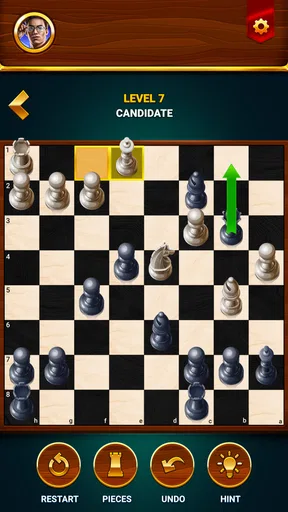
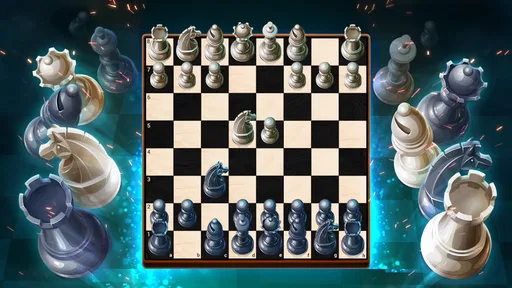
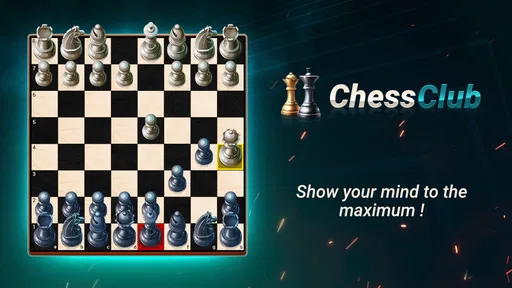
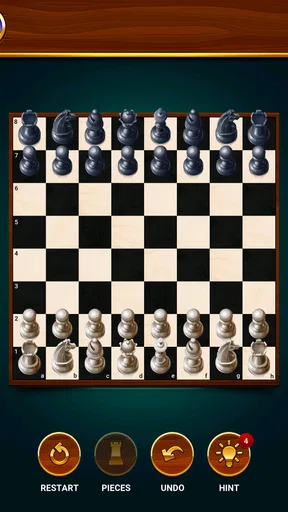
 Analysis by AppCompare
I like chess apps most when they let me focus on the board instead of nudging me through a complicated setup. Chess - Offline Board Game is built around that straightforward appeal: it is a board game from GamoVation, and offline play makes it a handy choice when I want a match without relying on an internet connection. Its average rating is 4.8 from around 927,000 ratings, and it has passed 50 million installs, so it has clearly found a large audience. Those figures tell me it is widely used, though they cannot tell me whether its style will suit every player.
What the purchase details mean in practice
The game is free to install, with in-app purchases listed from $1.99 to $27.99 per item. That is useful context before downloading: you can begin without paying, but purchases are part of the app’s setup. I would treat optional spending as a personal choice rather than a requirement for enjoying chess, and I would check the purchase prompts carefully if I were setting it up for a child. The content rating is Everyone, while the current version is 2.7.4 and the minimum Android requirement is 6.0.
There is a practical distinction between free access and a completely purchase-free experience. The listed price tells me the download costs nothing, but the purchase range does not explain what each item contains or whether any particular item affects play. I would not assume that buying something improves your chess, nor that every feature is available without a purchase. If you prefer to avoid spending, take a moment to notice any in-app offer before confirming it and use the game’s free options first.
Getting Started with Chess
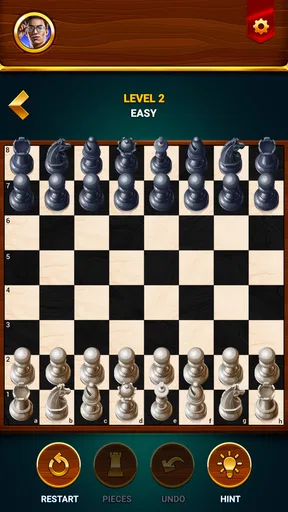
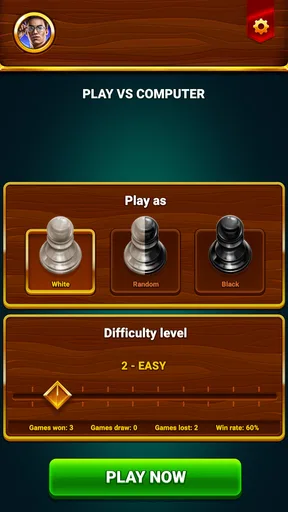
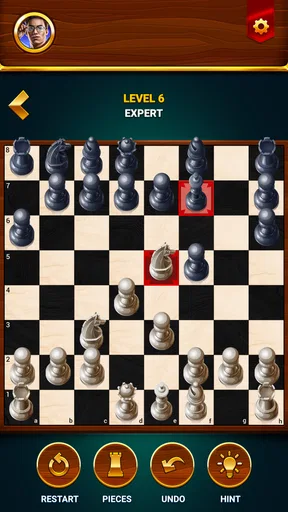
Once you fire up Chess - Offline Board Game, you're greeted with a neat and intuitive interface. The design is minimalistic, which is precisely what you want when you're trying to focus on your next move. The app offers various difficulty levels, so if you're just starting out, you can ease into it with the easier settings. But don’t be fooled, as the higher levels will definitely give you a run for your money.
Choosing a useful learning pace
For a beginner, I would start at a level where I can finish a game and explain at least a few of my decisions afterward. Beating an easy opponent repeatedly may feel reassuring, but it will not reveal much about how I respond to pressure. Moving up when I am spotting simple threats consistently is a more useful test than raising the difficulty after one lucky win. On the other hand, a setting that produces a string of quick losses can make practice feel like punishment; stepping back down is sensible, not a failure.
A short game can also be a deliberate exercise rather than just a way to pass time. I might decide to pay attention to whether my pieces are defended, or to look for an opponent’s threat before making my own plan. Keeping one small focus in mind makes it easier to learn from a match without turning every casual session into homework. The app’s different difficulty levels give players room to adjust the challenge, though the right setting depends on what feels engaging rather than on a label.
Game Modes and Features
One of the standout features of this app is its variety of game modes. You can play against the AI to sharpen your skills or challenge a friend in the local multiplayer mode. There's also a nifty "puzzle mode" where you can solve chess puzzles to improve your tactical play. It's a fantastic way to learn new strategies in a fun and engaging manner.
Worth Reading Before You Choose

Baby Panda World Brings Quick Play to Modern Phones, but Its Game Library Feels Busy

ESPN’s Live Game View Makes Following Close Games Easier

QuizzLand Review: A Good Fit for Short Trivia Breaks, Not Every Player

Basketball Stars: Multiplayer Is Fast, but Can It Recover When Matches Go Wrong?

WEBTOON Turns Phone Updates Into a Better Reading Routine

Link to Windows Runs on Shared Habits, Not Social Feeds
Those modes work best for different purposes. AI games are convenient when I have a few spare minutes and nobody nearby to play; local multiplayer makes the phone a shared board for two people in the same place. Puzzles suit the moments when I want to think through a position without playing a full game. A useful routine is to solve a puzzle, then try to notice the same kind of opportunity in a match. That turns a quick challenge into something I can carry over to the board.
Local play is especially useful on a train platform, during a break, or at home when a friend wants a quick game and neither of us wants to make an account or arrange an online match. It is not a substitute for remote play, though: its appeal is precisely that both players are together. If your main goal is to compete with people elsewhere or follow a live online chess scene, an app centered on online opponents would be a better fit.
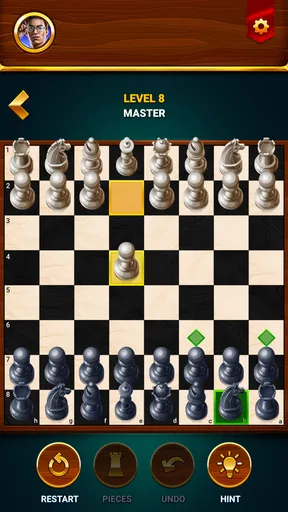
For those who like to mix things up, the app offers several board themes and piece designs. Whether you prefer the classic Staunton pieces or something a bit more modern, you can customize the board to suit your style. It’s all about making the experience as enjoyable as possible.
Small choices that make sessions easier
When changing board and piece designs, I would favor clarity over novelty. A striking theme can be enjoyable, but pieces that are easy to distinguish at a glance matter more during a tense position, especially on a small phone screen. If I find myself pausing to identify a piece, I would switch back to a familiar design. This is a small adjustment, but it protects concentration and makes a casual game feel less tiring.
I would also match the mode to the amount of time I have. A puzzle is a better fit for a brief wait; an AI game makes sense when I can stay with a full match; local multiplayer is best when another person is available. Choosing in advance helps avoid starting a game and then abandoning it when the day gets busy. For someone who wants a simple chessboard in their pocket, that flexibility is more valuable than having a long list of options just for its own sake.
Progress, pressure, and what to review
Progress is easier to judge by the quality of decisions than by wins alone. After a loss, I would look for the moment the position changed: did I leave a piece exposed, overlook a check, or rush a move because I wanted to attack? After a win, I would still ask whether the result came from a sound plan or an opponent’s mistake. That habit makes the game more useful for learning and keeps a run of wins from creating false confidence.
Another practical approach is to choose one question before a match and revisit it afterward. For example, I might ask whether I developed pieces before launching an attack, or whether I checked the opponent’s possible replies before committing. This is more manageable than trying to fix every weakness at once. Chess has many layers, and a phone game is most helpful when I use it to practice a specific decision rather than expecting it to teach everything automatically.
For an everyday scenario, imagine having a quiet ten-minute break between errands. I could solve a puzzle if I only have a moment, or start a game against the AI if I can finish without rushing. Later, if a friend is free at home, local multiplayer offers a face-to-face match on the same device. That range makes the app adaptable to ordinary gaps in the day, but it still rewards patience: chess is not always a satisfying choice when I need instant action or cannot give a position my attention.
Performance and User Experience
Let's talk about performance. The app runs smoothly without any hitches, which is crucial when you're deep in thought, planning your next move. The AI is well-designed and provides a realistic challenge, adapting to different playing styles. Plus, the offline capability means no annoying ads popping up to disrupt your game.
The offline angle is the clearest reason I would pick this over a chess app built mainly around online play: I can use it where a connection is inconvenient, and I do not need another person online to get a game started. Compared with a physical set, it is easier to carry and offers an opponent when I am alone, while a real board remains nicer for people who prefer a larger, tactile setup. Compared with a chess website or competitive online app, this one leans toward accessible solo and nearby play rather than remote competition.
I would be careful not to turn that comparison into a promise about every session. Offline play is convenient, but it does not provide the social variety of facing many remote players. And while the original experience has described games as free of interruptions, the purchase facts alone do not establish every advertising or display detail across versions and situations. I would judge the experience by what appears on my own device rather than assume that offline access answers every question about monetization.
Fair play and spending expectations
Chess is a game where the rules and the board position matter more than cosmetic preference, so I would expect a fair contest to come from making better decisions, not from buying a board design. Still, the available purchase information only gives a price range; it does not say what the individual items do or whether purchases change any gameplay options. I cannot responsibly claim that spending has no effect, or that it gives a competitive advantage. My practical advice is to try the free experience first and decide whether any clearly described purchase is worth it to you.
That distinction matters most for parents and for players who are strict about in-app spending. The Everyone rating gives a broad age suitability label, but it does not replace checking a child’s device purchase settings or reviewing prompts together. If I were sharing the game with a younger player, I would set expectations before handing over the phone: the game can be played for free, and an offer on screen is not something to accept automatically.
Where it fits—and where it does not
This is a strong match for someone who wants chess available without depending on a connection, a beginner who benefits from adjustable difficulty, or two people who want to play locally. The combination of AI, puzzles, and same-device play gives it several useful ways to fill a short break, while the themes let players make the board feel more comfortable to read. GamoVation’s game has been released since September 27, 2021, and its broad audience suggests that this uncomplicated approach has lasting appeal.
I would look elsewhere if my priority were online tournaments, remote matches with friends, detailed coaching, or a serious study environment with analysis tools I can rely on. Those needs call for a product designed around them, rather than a convenient offline board game. Likewise, someone who does not enjoy chess’s slower, turn-based thinking will not be won over simply by having it on a phone. The game can make practice easier to access, but it cannot make every player enjoy the underlying game.
What I would check before settling in
Before a longer session, I would try a quick match and a puzzle, test whether the selected board design is readable on my screen, and see how the difficulty feels after a few moves. That gives me a better sense of fit than judging the app from its first screen. If I plan to play with another person, I would also choose local mode when we are together rather than expecting it to connect us from separate locations.
A natural question is whether it suits a complete beginner. I think it can, because easier AI settings and puzzles offer approachable ways to start, but a beginner still needs to learn the rules and reflect on mistakes; the app should not be treated as a substitute for patient instruction. Another likely question is whether it works for quick sessions. Puzzles are the most natural option when time is tight, while a full match is better when I can concentrate and finish at my own pace.
Players may also wonder whether they need to pay to enjoy it. The game is free to install, and purchases are available, so I would begin without spending and assess the experience before considering any item. The listed range runs from $1.99 to $27.99 per item, but that range by itself does not explain the contents or competitive effects. I would make a purchase decision only after reading the specific on-screen description, especially if fairness or a fixed budget is important to me.
Final Thoughts
All in all, Chess - Offline Board Game is a must-have for any chess enthusiast. It's user-friendly, feature-rich, and offers a great balance between fun and challenging gameplay. Whether you're on a long commute or just chilling at home, this app is the perfect companion to keep your mind sharp. So, why not give it a try? It's a classic game with a modern twist, and who knows, you might just discover your inner chess champion!
My trust verdict is positive but measured: I like the free entry point, offline convenience, and mix of solo practice, puzzles, and local play. I would recommend it to a friend who wants accessible chess rather than a full online club or a dedicated coaching tool. I would not recommend buying anything until its purpose is clear to you, and I would choose another option if remote competition or deep analysis is the main goal. For casual games and a little focused practice, it earns a place on my phone.
Pros
- No internet required for gameplay.
- Simple and intuitive user interface.
- Various levels of difficulty available.
- Supports multiple player profiles.
- Lightweight and quick to install.
Cons
- Limited multiplayer features.
- No online leaderboards available.
- Graphics are basic and minimalistic.
- Lacks advanced tutorials for beginners.
- No option for custom board themes.
FAQs for Chess - Offline Board Game
What features does Chess - Offline Board Game offer?
Chess - Offline Board Game provides a classic chess experience with multiple difficulty levels to suit beginners and advanced players alike. The app includes a tutorial mode, hints, and an analysis board to help improve your skills. It also offers customizable themes and board designs to enhance your playing experience.
Can I play Chess - Offline Board Game without an internet connection?
Yes, Chess - Offline Board Game is designed for offline play. You can enjoy full access to all features without needing an internet connection. This makes it an excellent choice for playing during commutes or in areas with limited connectivity.
Is Chess - Offline Board Game suitable for beginners?
Absolutely. The game features a tutorial mode that guides new players through the basics of chess. It offers various difficulty levels, starting from easy, allowing beginners to gradually improve their skills without feeling overwhelmed. Additionally, hints and tips are available to assist in learning effective strategies.
Does Chess - Offline Board Game support multiplayer mode?
While Chess - Offline Board Game focuses on offline play, it includes a pass-and-play feature that allows you to play with a friend on the same device. However, it does not support online multiplayer, making it ideal for solo or local play sessions.
Are there any in-app purchases in Chess - Offline Board Game?
The app is free to download and play, with optional in-app purchases available. These purchases typically include additional themes, boards, and other cosmetic enhancements. All core features, however, remain accessible without any purchases, ensuring a complete gaming experience at no cost.


